To begin with, I would like to give an example that happens all the time. A service business, such as cleaning services, air conditioning, salon services, or even dental services, invests into Facebook and Instagram ads. Customers start coming in through those ads. And most of them fall through.
This does not happen due to the fact that the ads do not work. This happens because the customer completes the form at night on Tuesday, and the owner is busy at the job, no one replies back to them until Wednesday afternoon, and at that time, they have already made an appointment with someone else. The ads did their job. But the follow-up did not.
This is the gap that an automated booking system meta ads local service business strategy solves. In this guide, I will share how I will integrate Meta ads with an automated appointment scheduler.

Why Meta Ads Are Not Enough on Their Own
Meta ads are wonderful for one thing: showing your offer to the people who need it nearby. But an ad is just step number one. The decision in the next five minutes will define whether your ad results in a booking or not.
These are typical issues:
- Slow response time. People become more interested when they ask about something. For each additional hour, they become less interested.
- Multiple touchpoints. Fill a form, contact via email, phone game, quotation and only after that – booking. Most people don’t complete that process.
- Lack of reminders. Booked customers also tend to forget, and your losses may be real.
- Chaotic process tracking. Leads are stored separately from bookings. You don’t know which ads convert.
Automation solves all these problems.
What Does an Automated Booking System Actually Do?
Just put it simply, it’s a process where an automated system converts the person from “I saw your ad” to “I’m booked” without having to do much work yourself.
An effective booking system will do the following:
- Snag the lead when they click your ad.
- Respond instantly, preferably within less than a minute.
- Ask a few questions to know their requirements.
- Suggest available time slots and select one for them.
- Conduct confirmation of the booking and schedule the appointment on your calendar.
- Send notifications before the meeting.
- Follow up after the meeting to get feedback and repeat business.
The whole process can be conducted when you’re busy or sleeping.
The Building Blocks
No expertise is needed to grasp the key elements.
- Meta ad and landing destination. You may use a lead capture form from Facebook or Instagram, or a landing page, or a click-to-message ad that triggers a conversation. A chat or a short lead form usually beats a full-fledged website for most localized services.
- Scheduling Calendar. Your true availability will be taken into consideration so that no appointments will be scheduled for the time slots you cannot cover.
- Your CRM or lead management system where all incoming leads land automatically along with their sources.
- Messaging Channel. It may be an email, SMS or WhatsApp depending on what channels work for your audience.
- The automation system that connects all of the above.
How Artificial Intelligence Fits In
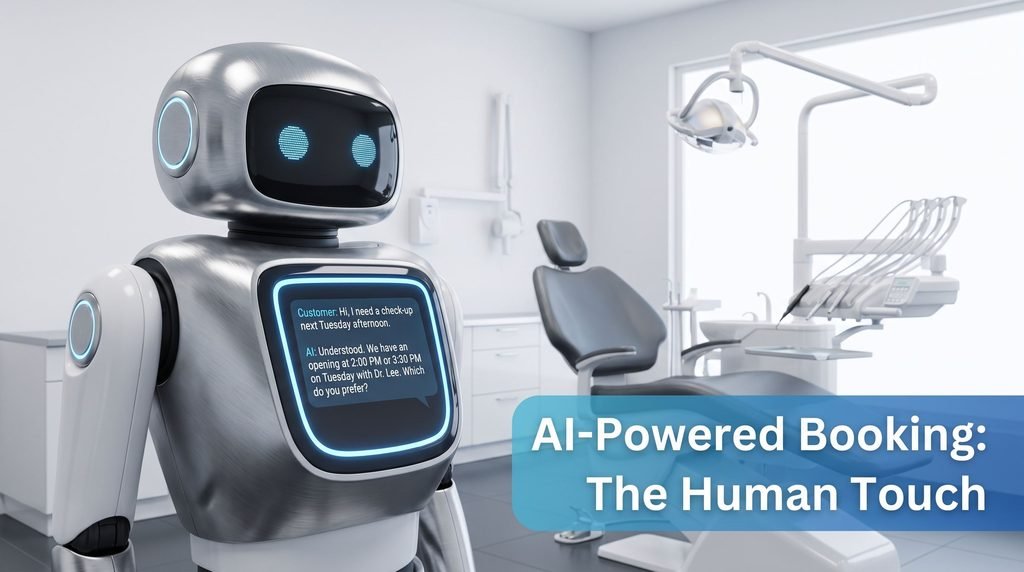
Regular automation is based on rules. Implementing tailored service business ai automation takes things a notch higher. The machine can be able to comprehend the needs of the client from the text, and offer an appropriate response.
For instance, if a client texts, “Hey, my boiler is acting up, and I need a fix this week.” The regular system would just send out the form. With an automated AI assistant, the machine would be able to understand the problem, ask some relevant questions, offer time slots, and ensure that urgent situations get a human touch fast.
This is where the synergy of robotic process automation and ai in business services becomes very helpful. Robotic process automation takes care of the repetitive back office functions like entering the information, scheduling, creating a quotation, or sending out papers. On the other hand, the AI helps the computer understand what the client is saying as opposed to filling in the forms. Thus, they take away the administration of the entire booking procedure.
Automated Business Services: DIY or Get the Assistance?
One thing which should be noted here honestly. A basic system can be done by you easily enough using off-the-shelf software and many owners actually do that. However, when you need immediate replies from AI, intelligent scheduling for a few members of staff, collecting payments and so on – the matter becomes complicated.
That is where professional Business automation services step in. The best providers learn about your specific situation, select appropriate software, connect it correctly and maintain it.
The same can be said about business process automation services in general. They are not only responsible for bookings but can deal with quotations, invoicing, reviews requests and reportings as well to make your business process smooth and effective overall.
When comparing different providers, I would ask:
- Can you show me a demo of your service for a business similar to mine?
- Is it going to work with my calendar and other software?
- Whom should I turn to in case of problems?
- What do you do with customers’ data and their consent?
- Are the reports clear for people who are not tech-savvy?
A Step-by-step Setup
This is how I would go about setting up such a process for a local service company if I was tasked to do it today.
- Step 1: Know your offer. An unclear ad produces unclear leads. Get clear on the offer, the area, and what should happen next. An example could be something like “book a free quote this week” rather than “contact us”.
- Step 2: Map out the booking process. Note down what currently happens from the point of an inquiry all the way through to booking the appointment. Make note of any delays and drop-offs during that process.
- Step 3: Calibrate your calendar correctly. Enter your actual working hours, service times, and time between each job. If you have an incorrect calendar, then automation will simply book the incorrect stuff faster.
- Step 4: Integrate the source of leads. Connect your Meta lead form or message ad so that all inquiries are fed directly into your system.
- Step 5: Design the instant response. Craft a brief and positive message that gets automatically sent within one minute after receiving their inquiry. It must confirm the receipt of their request and provide a fast way to choose an appointment time.
- Step 6: Use qualifying questions. Ask only what you really need – type of service, location, urgency of the request. Excessive number of questions discourages people.
- Step 7: Use automated messages for confirmation and reminders. Automatically send a confirmation email, remind the customer the day before the visit and the day of the service. It will reduce your no-shows significantly.
- Step 8: Set up the human interaction. All urgent requests, quotes or dissatisfied customers must get into human hands immediately. Predefine these rules in advance.
- Step 9: Analyze results per ad campaign. Every booking generated by the campaign must be linked to that particular campaign so that you could see the effectiveness of your budget spending.
- Step 10: Analyze weekly. Read conversations and numbers, adjust wording and timing.
For instance, a Home Service Business in Your City
Let’s imagine how it works in practice, but we won’t use any fictitious numbers.
A small cleaning firm launches a Meta campaign providing a free quotation service. A homeowner clicks on the ad and fills in a short form. In less than a minute, they receive a message of thanks and an inquiry about the kind of clean they want and how many rooms they have. They respond and the system provides three openings. They choose one and receive a confirmation, and the task is scheduled in the owner’s calendar. A reminder goes a day before the appointment. Then a nice message requesting a review follows after the job.
The owner didn’t send a single message. That’s the whole idea.
Things To Avoid
These have caused problems before:
- Taking ad traffic to a slow process. If your booking process is slow, then any extra ad spending is a waste of money.
- Over promising availability. Don’t put anything on your calendar that you can’t honor.
- Being too robotic. Have a friendly and local tone. The client is making an appointment with someone, not a machine.
- Forgetting about consent. Send email messages only to those who’ve opted-in. Observe relevant regulations.
- Forgetting about analytics. If you can’t tell how each ad performs, you’re guessing.
- Set-and-forget approach. Review the booking system as services and prices change.
What Can You Expect to See in Real Life?
I always try to give a realistic idea of what to expect. These are: faster responses, fewer dropped leads, fewer no-shows, less administration, better analytics about what ads work. Also, it will take less time to arrange appointments by telephone. This won’t fix bad offers or bad service, but it will ensure that quality leads convert into bookings.
Conclusion
Meta ads will drive traffic to your doorstep, but the booking system that transforms the visitors into appointments is what really matters. As a service provider in your locality, time is everything. You need to make appointment booking easy and straightforward.
What I recommend is that you start with measuring how much time you currently take to respond to a new query. It will give you a benchmark for the areas where you can improve.
Should you consider getting help on implementing your own booking solution, please feel free to learn about our services at Aura Flow Tech.